



本文链接: https://blog.csdn.net/lishuangquan1987/article/details/135875221
版权
现象描述:
好久没推代码到github了,今天新建一个仓库,推送本地代码到github,需要填入用户名和密码:
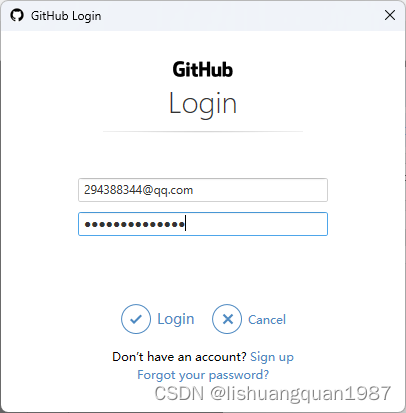
填入用户名和密码点击Login按钮,竟然报这个:

上述文字如下:
git -c diff.mnemonicprefix=false -c core.quotepath=false --no-optional-locks push -v --tags --set-upstream github master:master
libpng warning: iCCP: known incorrect sRGB profile
libpng warning: iCCP: known incorrect sRGB profile
Logon failed, use ctrl+c to cancel basic credential prompt.
remote: Support for password authentication was removed on August 13, 2021.
remote: Please see https://docs.github.com/en/get-started/getting-started-with-git/about-remote-repositories#cloning-with-https-urls for information on currently recommended modes of authentication.

Pushing to https://github.com/lishuangquan1987/CSDNExporter.git
完成时带有错误,见上文。
问题解决
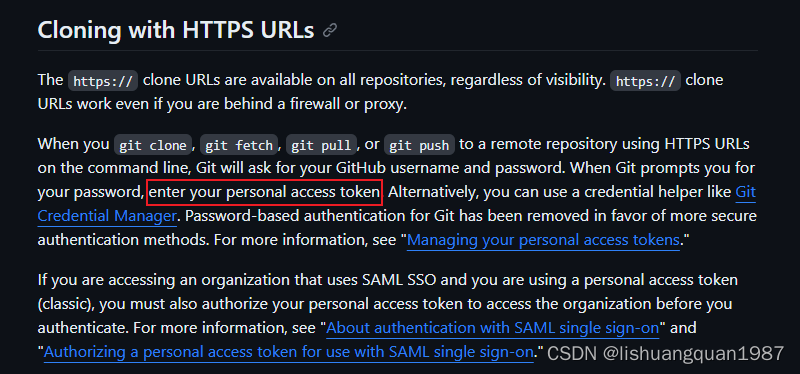
原来github改变了规则,上述输入用户名和密码中的密码不是登录github的密码,而是 personal access token,那么如何获取这个token呢?
这里的 personal-access-token 包含两种:
-
Fine-grained personal access tokens
-
Personal access tokens (classic)
我们使用
Personal access tokens (classic).
按照步骤创建Personal access tokens (classic):
- 点击
Settings:

2. 点击 Develop Setting
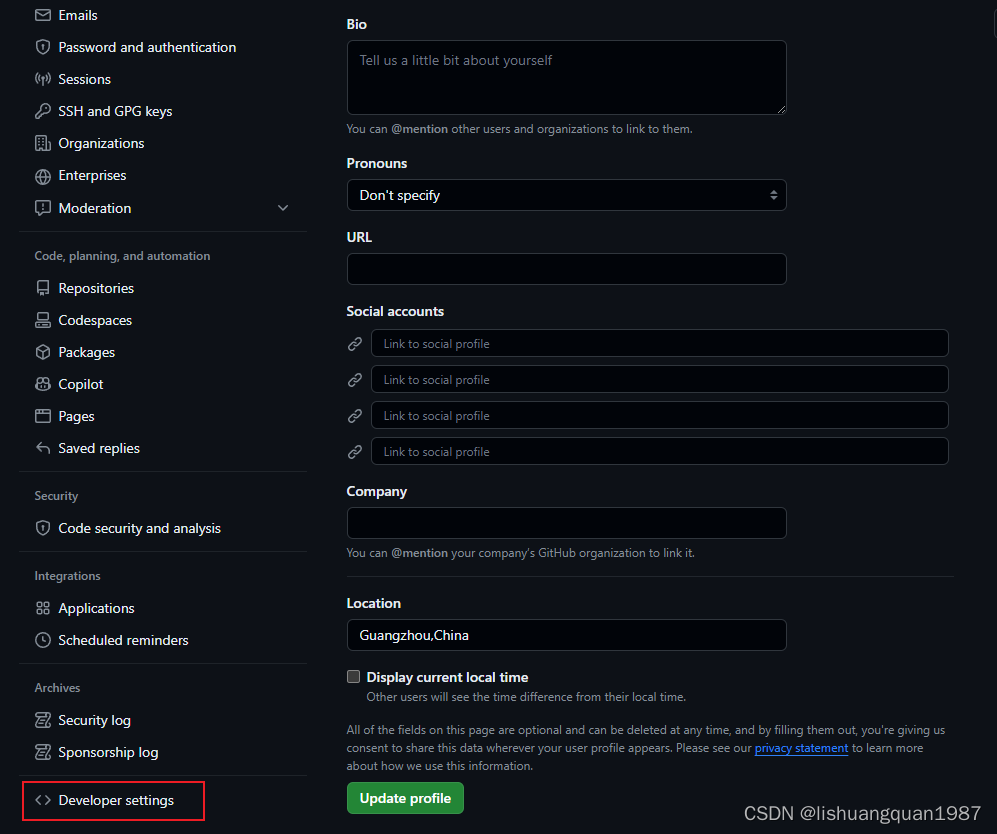
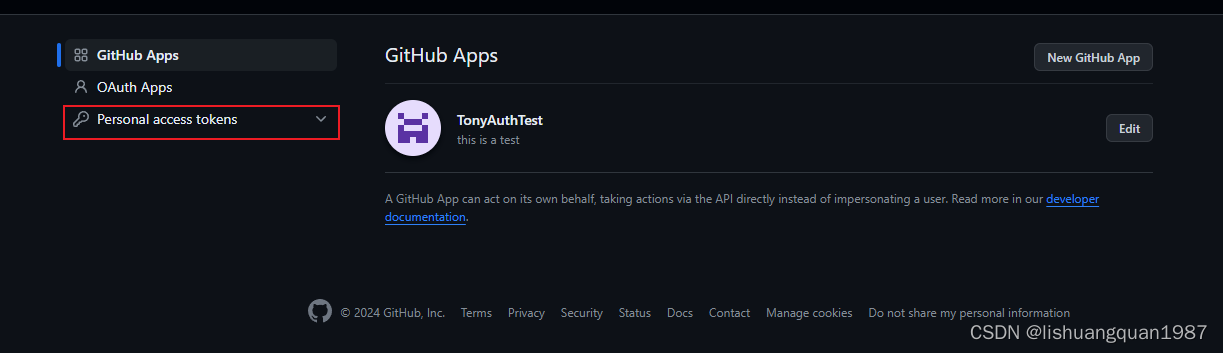
- 点击
Personal access token,选择Tokens(classic),如果之前没有生成过,就点击Generate new token,如果生成过,那就用以前的,我这里生成了一个for git use的token(可以设置永不过期):
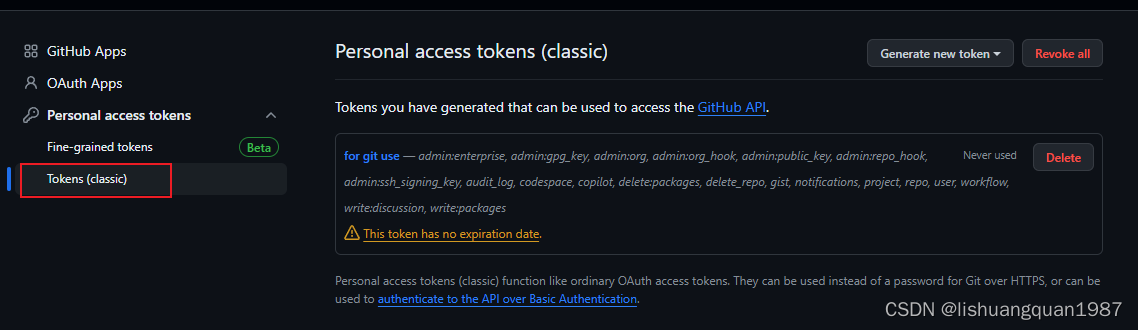
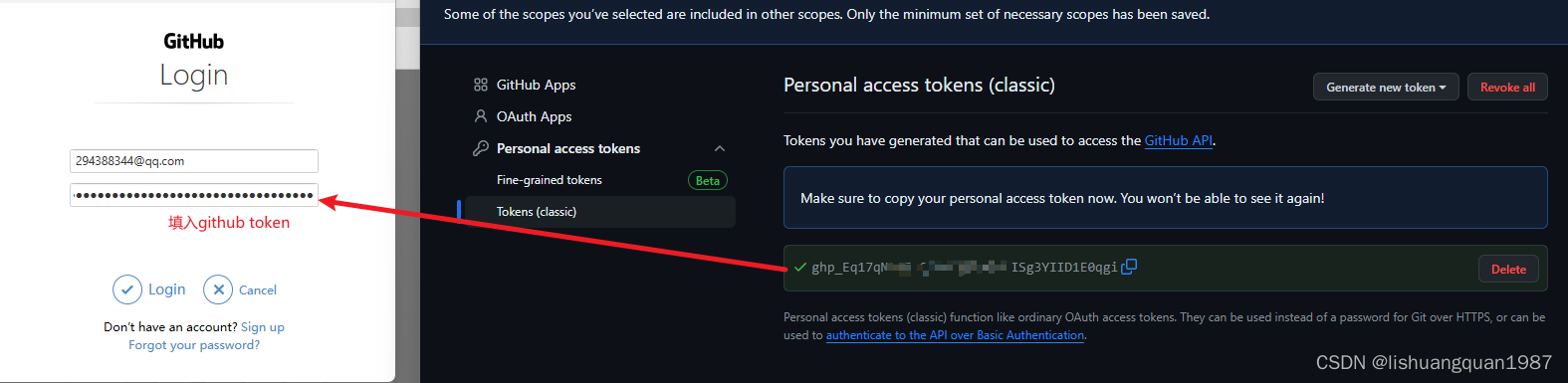
然后复制 Token,填入推送代码时弹框要求输入密码的地方:
评论区